What it is

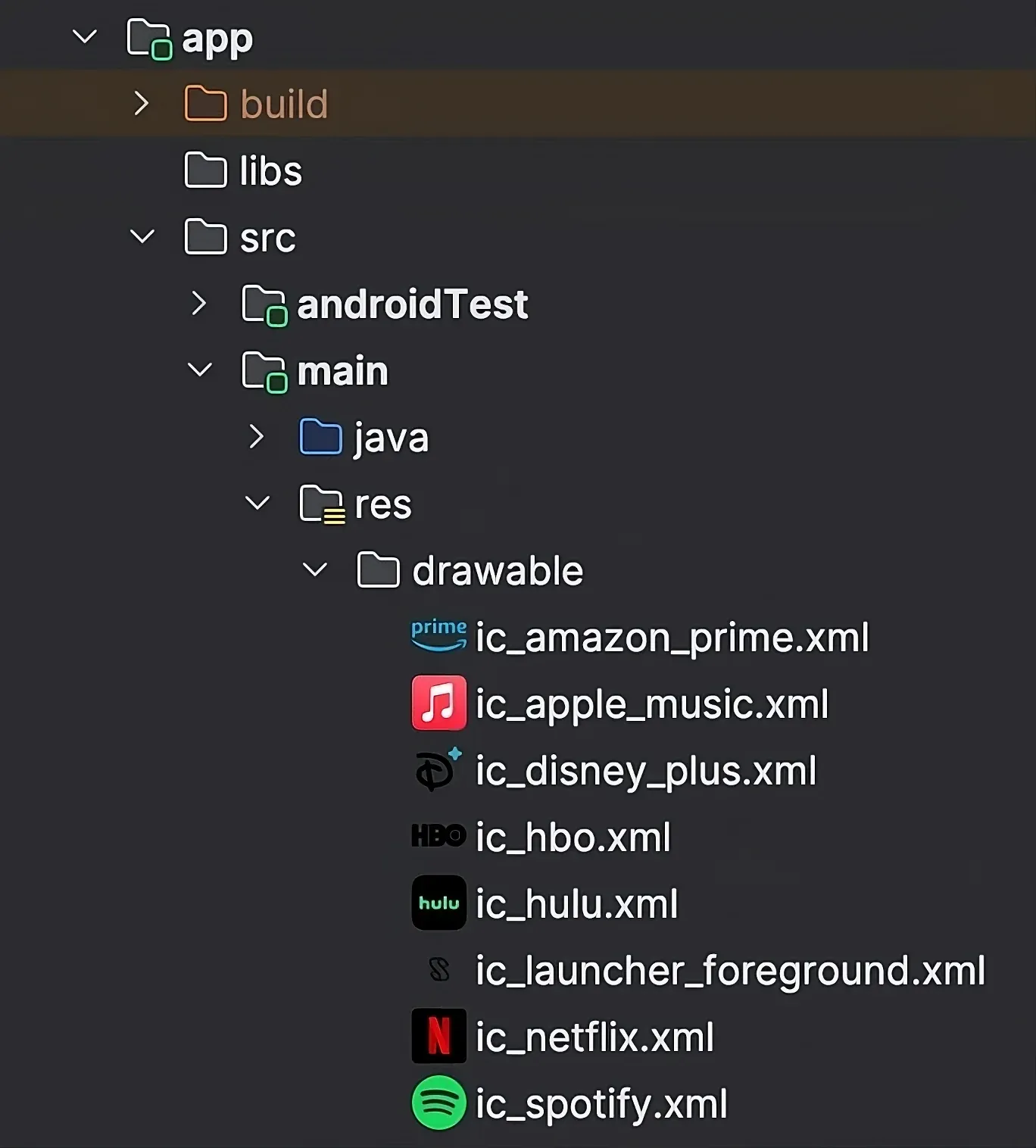
An Android Studio and IntelliJ IDEA plugin that replaces the file icon of every drawable in the Project View with a rendered preview, so the right asset is a glance away. It started as a fork of mistamek/drawable-preview, and I maintain this version. 7k+ downloads on the JetBrains Marketplace.

What I built

  • Previews in the Project View

    Rendered thumbnails for XML, SVG, PNG, JPG, WebP, GIF and 9-patch drawables, in Android and Compose Multiplatform resource folders.

  • Preview popup

    A right-click popup with backgrounds, adaptive-icon mask shapes, selector states, density variants and a colour palette.

  • Gutter icons

    The drawable behind R.drawable.foo and Res.drawable.foo, shown beside the line in the editor.

  • Resource hygiene

    A Find Drawable Usages action and an inspection that flags unused drawable resources.

Screens

Stack

  • Kotlin
  • IntelliJ Platform SDK
All projects (28)
  • Introsection
  • Worksection
  • Open sourcesection
  • Tools and experimentssection
  • Aboutsection
  • Writingsection
  • Activitysection
  • Shipping logsection
  • Nowsection
  • Contactsection
  • Maytes case studypage
  • Suby case studypage
  • Metronomeproject
  • Roomproject
  • Honqproject
  • op-botproject
  • StandupBotproject
  • SLEKE.project
  • ePlatform Digital Librariesproject
  • Wallaby VPNproject
  • Kimplifyproject
  • KPaymentproject
  • Lingvoproject
  • PopMeterproject
  • AutoRedemptionproject
  • Mercuryproject
  • Smart Foodproject
  • Fishing Notesproject
  • Gus-Karasproject
  • Biofeedbackproject
  • One Playground app conceptproject
  • Barloproject
  • RoadConditionsproject
  • Scheduleproject
  • Lumiproject
  • KMPaceproject
  • FreeDroidproject
  • Android Drawable Previewproject
  • Nowpage
  • Usespage
  • Notespage
  • Résumépage
  • Email Konstantincontact
  • Keyboard shortcuts?
  • Switch themeT
  • GitHublink
  • LinkedInlink
  • subyapp.comlink

↑ ↓ to move · Enter to openEsc to close

Keyboard shortcuts

G then H
Go to top
G then P
Go to Products
G then C
Go to Activity
G then N
Go to Now in Sydney
G then M
Go to Contact
T
Switch theme
Esc / Home
Return globe to Sydney, while focused
⌘K / Ctrl+K or /
Search
?
Show keyboard shortcuts

Shortcuts pause while you type or use a dialog.