Why
I train at One Playground and open their app most mornings. It is a white-labelled product shared by gyms worldwide: a sensible way to get an app quickly, but a shared platform can only bend so far. One Playground runs seven studio concepts across eight clubs on a single membership, which is an unusually specific thing to model.
So instead of writing a list of complaints, I designed the app I would want to open, then built it. This is an unsolicited concept, not affiliated with, endorsed by or commissioned by One Playground.
What I did
I took the design system from their live site: typefaces, colour, radii, motion, even the letter-spacing on their uppercase labels, so the app feels like One Playground rather than a template with a logo on it.
Then I designed 40+ screens and a full component library, and built it as a five-module Kotlin Multiplatform project: one codebase, native on iOS and Android, with 2,600+ tests. It runs against the live booking system. The 30-second demo books a class at North Sydney.
Three decisions
Class rows carry no photography. Every image a gym holds describes a category, not a specific 6:15am on a Thursday. A photo of one studio next to a different club’s class is a small lie, and twenty photo rows destroy the scanning speed a timetable exists for. Rows scan; screens sell.
Every booking shows what cancelling costs, before it costs it. Cancelling inside ten hours carries a fee. The app shows “Free to cancel until 8:15pm Wednesday” on every booking, derived from the class time. It needs no backend work, and it is the highest-trust element in the product.
I cut my own favourite idea. I had designed a segmented meter for remaining spots, which reads as a quantity rather than a number to parse. Published research on stock indicators shows they measurably reduce trust in the vendor, and the meter also failed WCAG contrast as a graphical object. It is now plain text, shown only when three or fewer places remain.
Stack
Kotlin Multiplatform and Compose Multiplatform, FlowMVI, Room, Koin, Ktor and Navigation 3, with shared element transitions and light and dark themes from one token set.
Screens
-
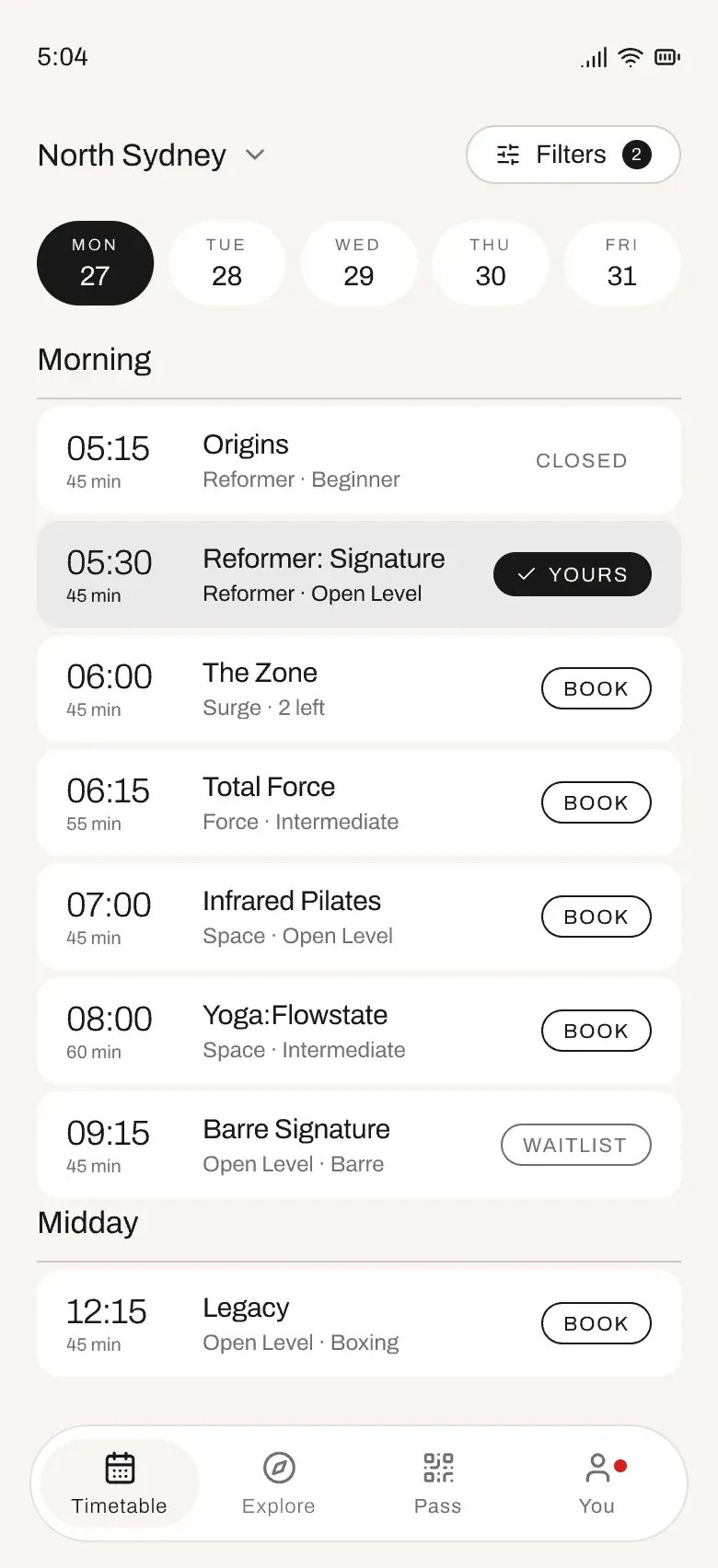
Timetable: time leads, one state per row -
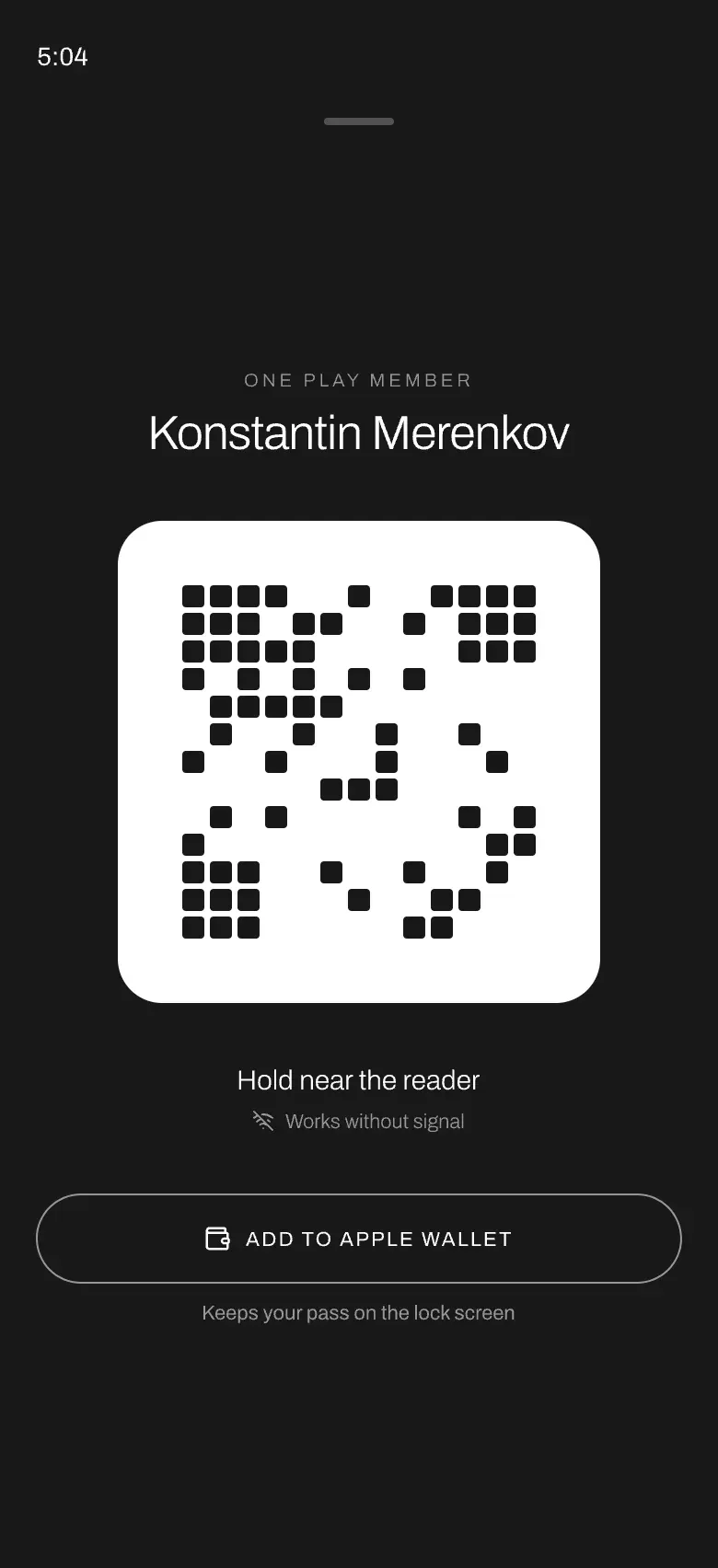
Digital pass: works with no signal -
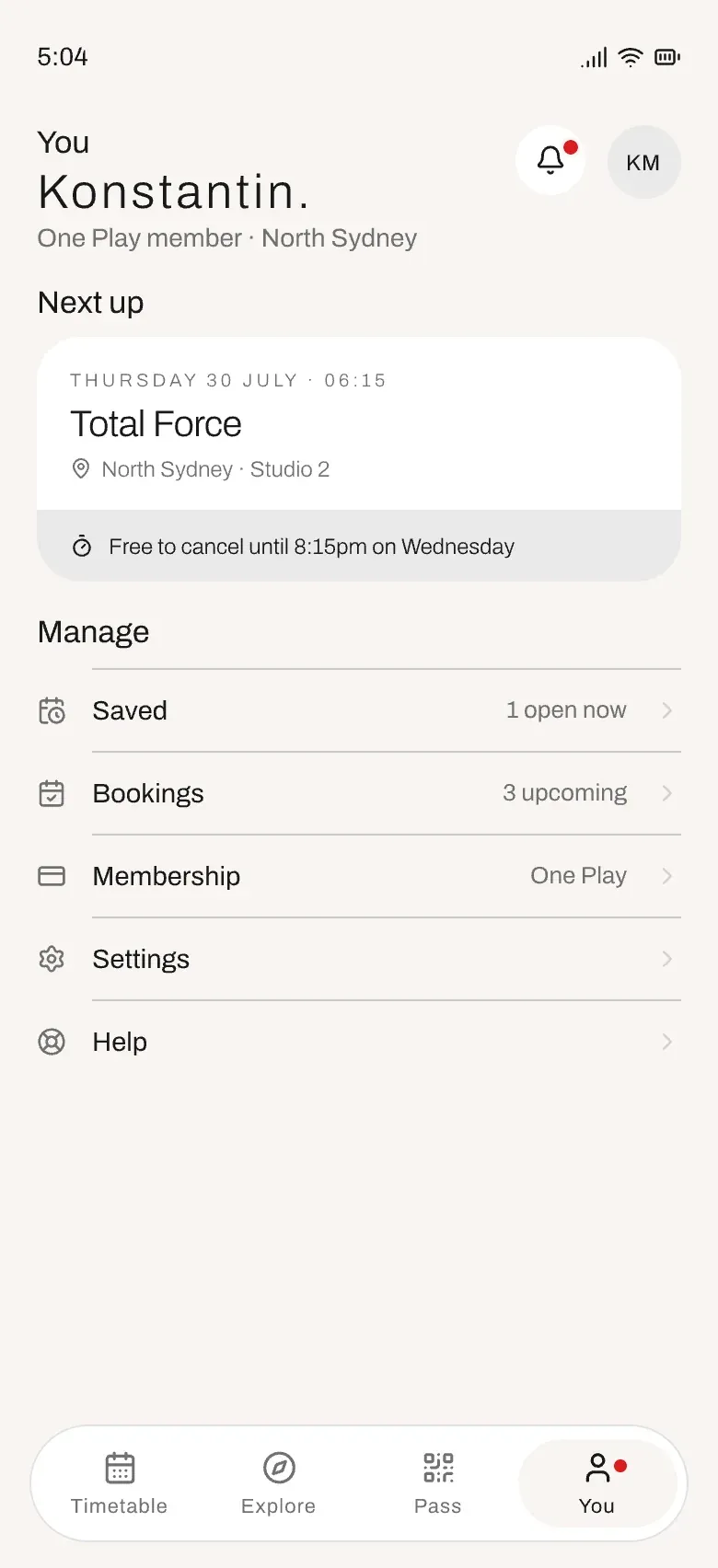
Account: the free-cancel deadline up front -
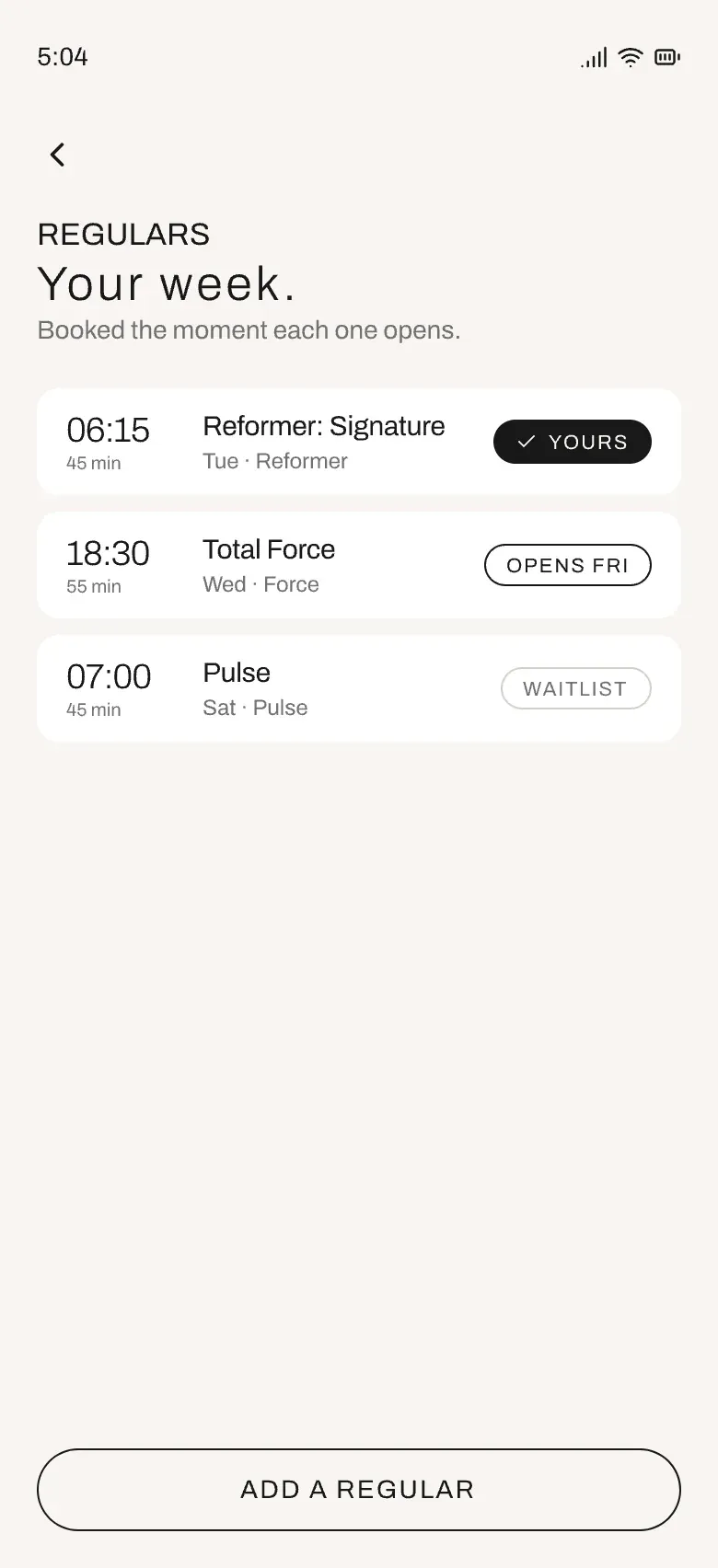
Regulars: three states, no colour needed -
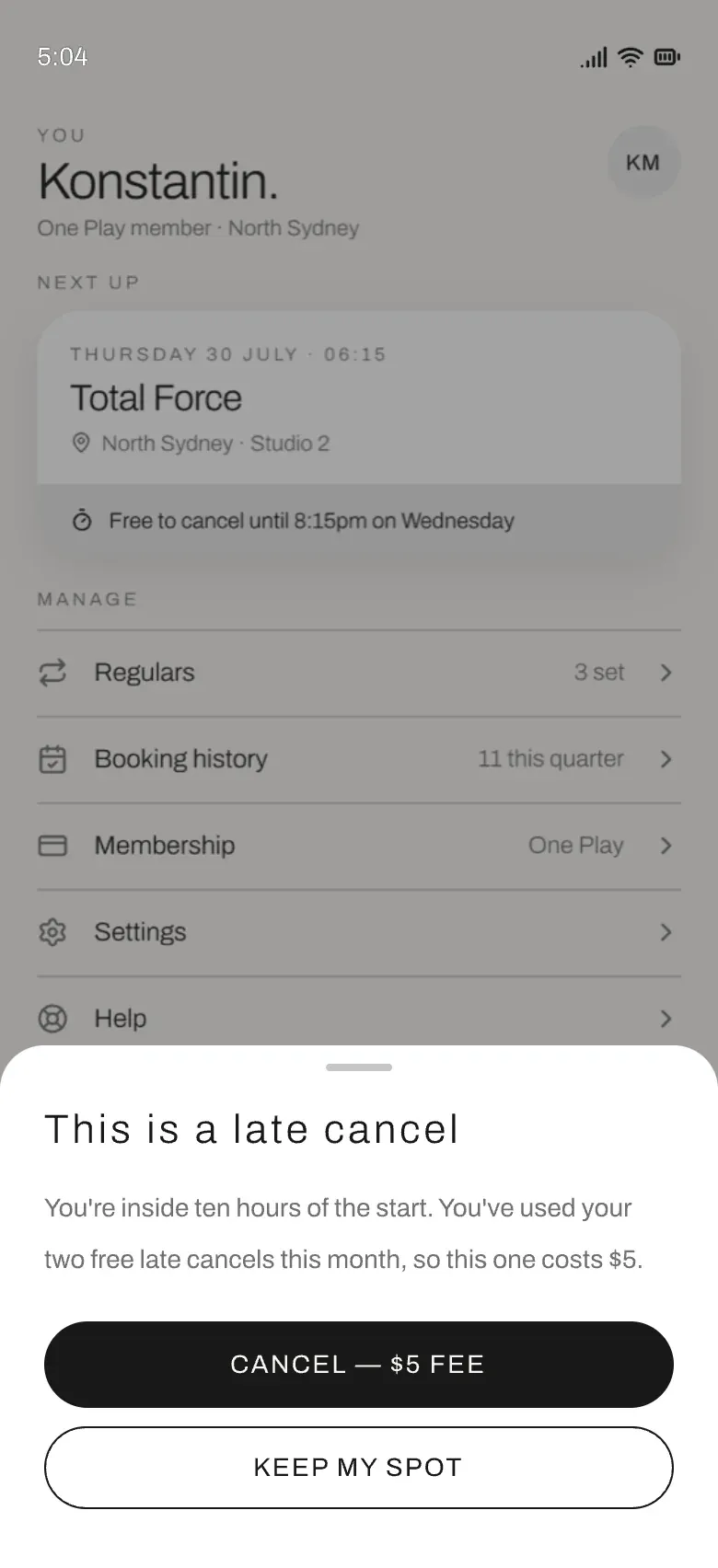
Cancelling late: the exact fee, first -
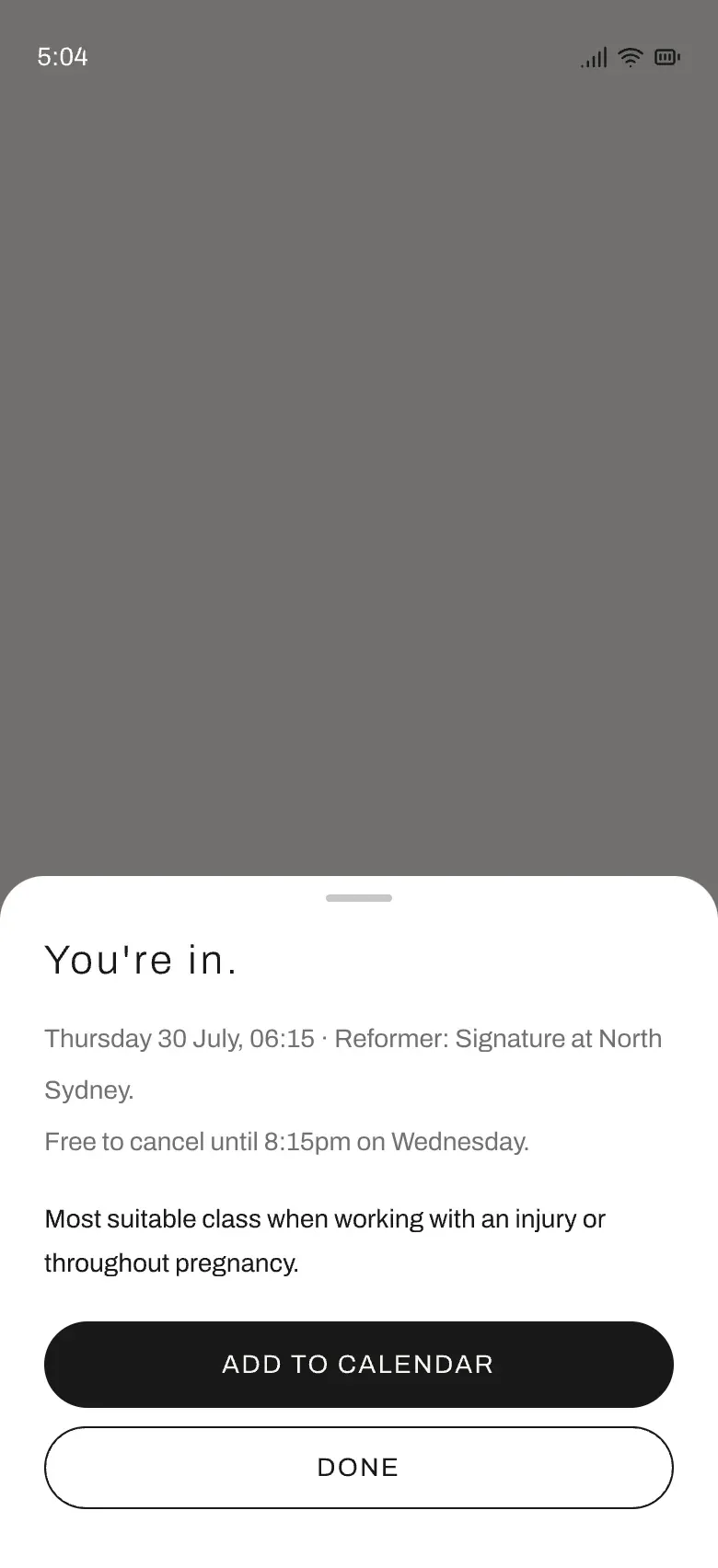
Confirmed: safety notes in full -
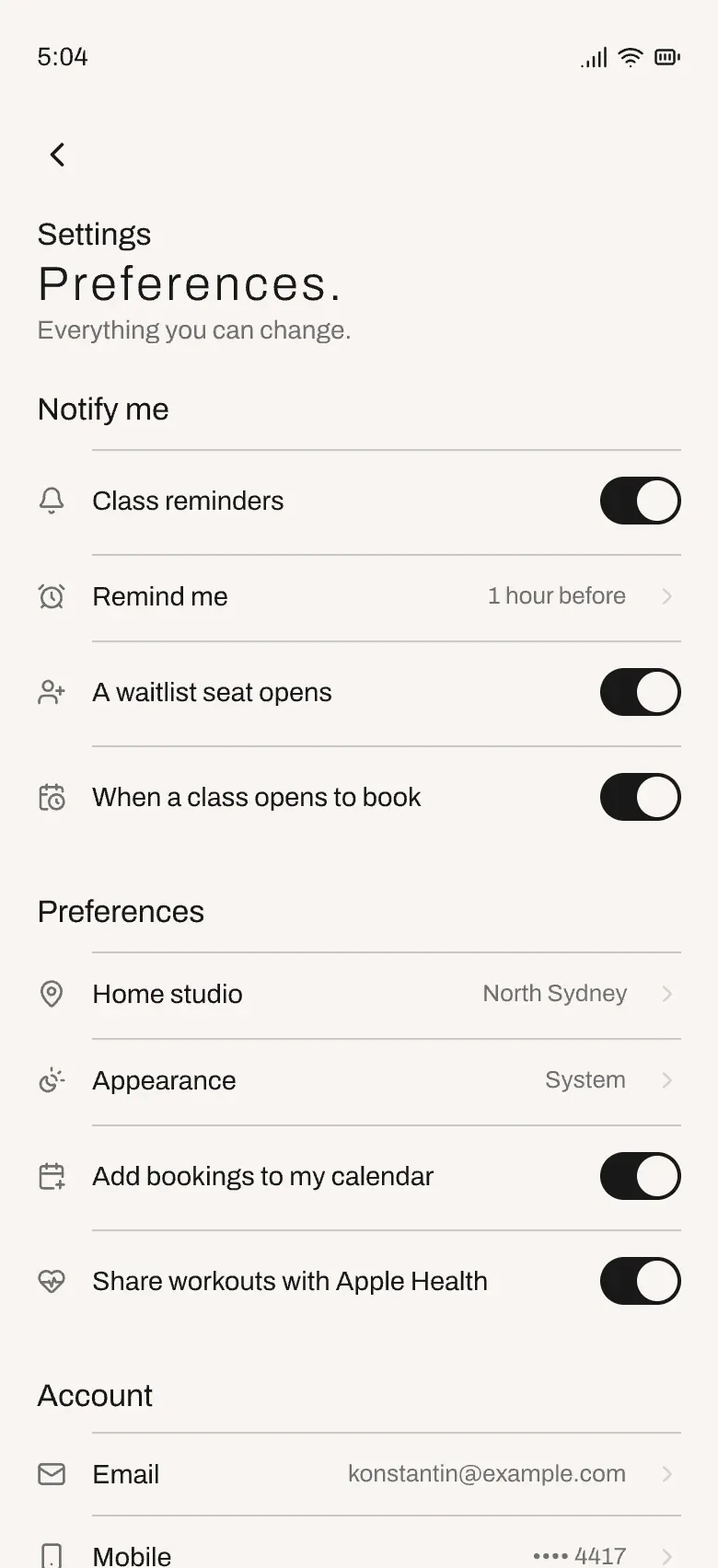
Settings: one row pattern throughout -
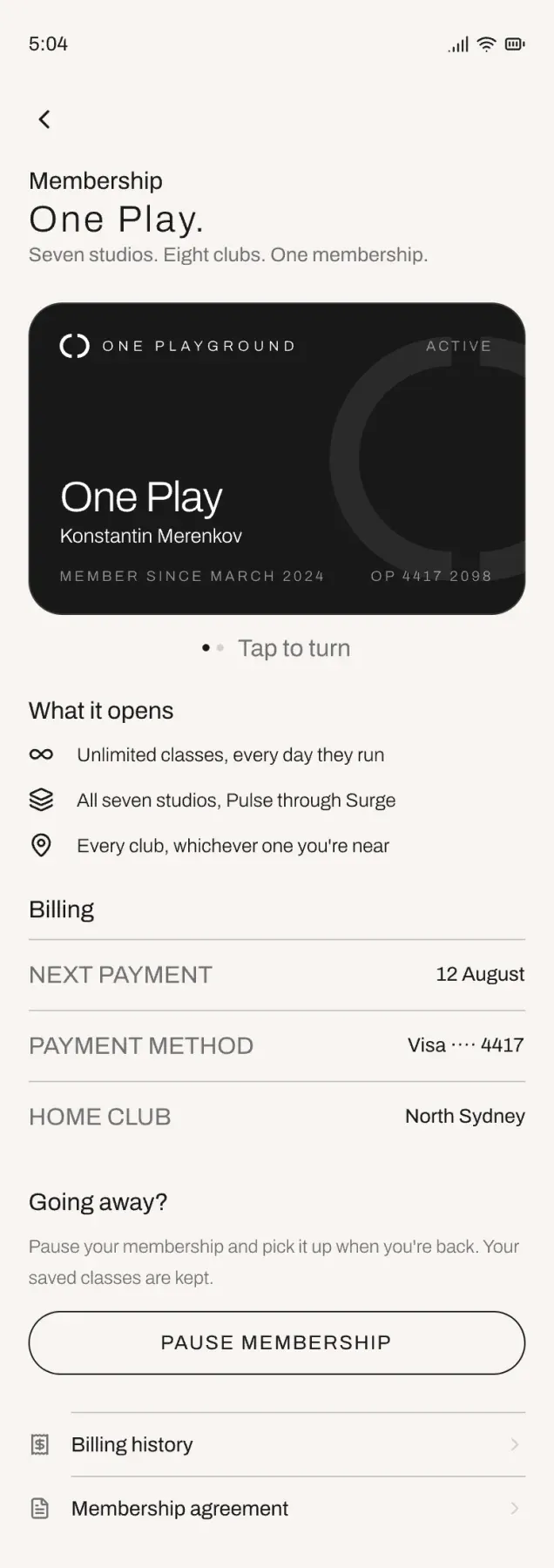
Membership, including pausing -
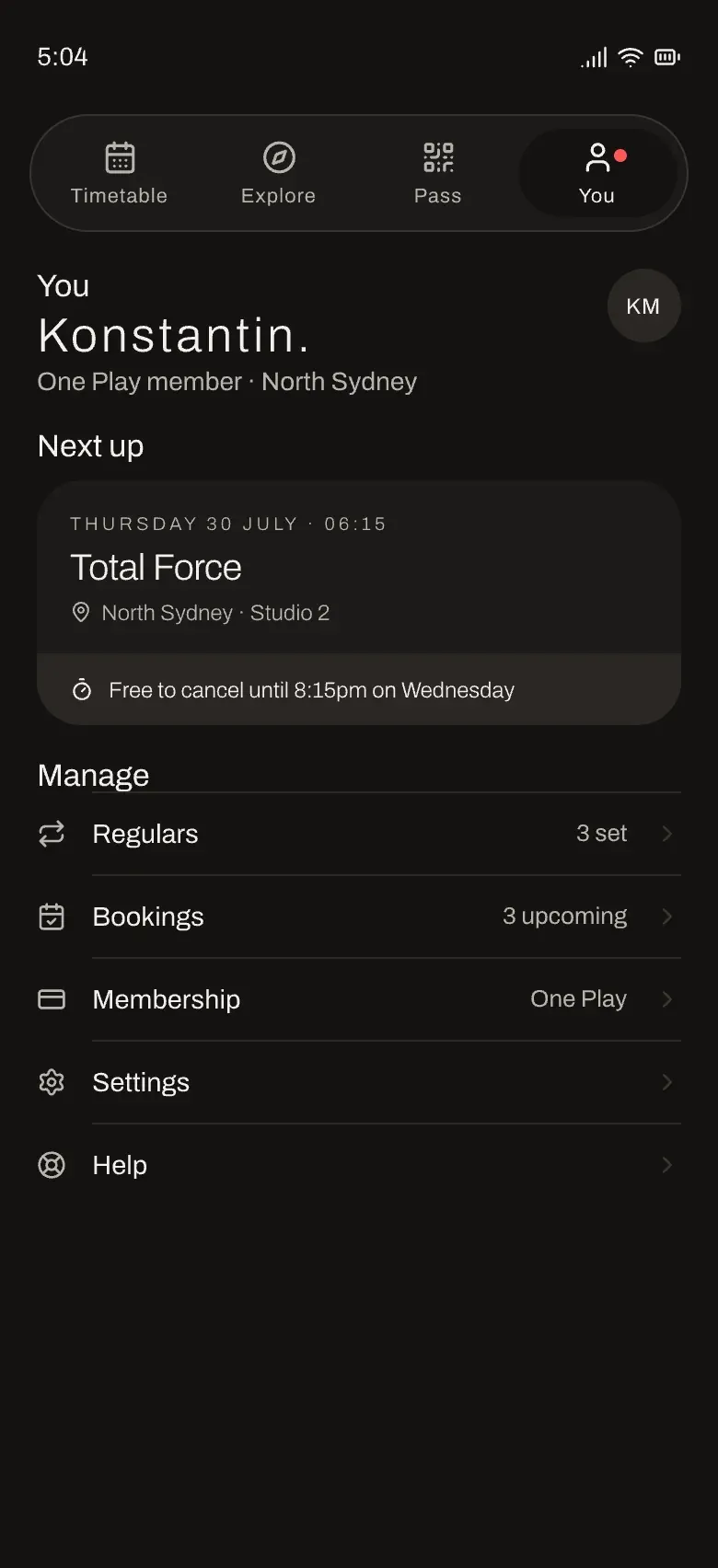
Dark theme: one token set, both themes
Stack
- Kotlin Multiplatform
- Compose Multiplatform
- FlowMVI
- Room
- Koin
- Ktor
- Navigation 3